You probably need custom software when the tools you already pay for no longer match the way your business actually runs. The usual signs are the same everywhere: the same information typed into three places, bookings that clash, payments you only notice are late when you go looking, and a team that runs the day from group chats. If you recognize several of these, it is worth asking what one system built around your own steps would save you. If you only recognize one, a good off-the-shelf tool may be enough.
Here is how to tell the difference, what custom software really solves, and when you should not build anything at all.
Seven signs you have outgrown your tools
- Your business lives in a spreadsheet only one person really understands, and everyone is afraid to sort it.
- You have double-booked a job, a room or a staff member, or come close, because the calendar and the bookings list are in different places.
- You find out a client has not paid weeks later, and sending reminders depends on someone remembering.
- Customer details, photos and approvals are scattered across WhatsApp, email and text, so nobody can find the latest version.
- You copy the same details from a form into a quote, then into an invoice, then into a calendar.
- You pay for four or five apps that do not talk to each other, and still need a spreadsheet to join them up.
- You cannot answer simple questions quickly: what is booked next week, who still owes money, which leads have not had a reply.
None of these is a disaster on its own. Together they cost you hours every week, and they are where mistakes come from: the missed follow-up, the wrong date, the invoice that never went out.
What custom software actually solves
Custom software is not about having something fancy. It is about having one place where your work flows the way you already do it. A lead comes in from your website, becomes a quote, becomes a booking, becomes an invoice, and each step fills in the next one automatically. Your team sees the same information you do, and the system tells you what needs attention instead of you having to dig for it.
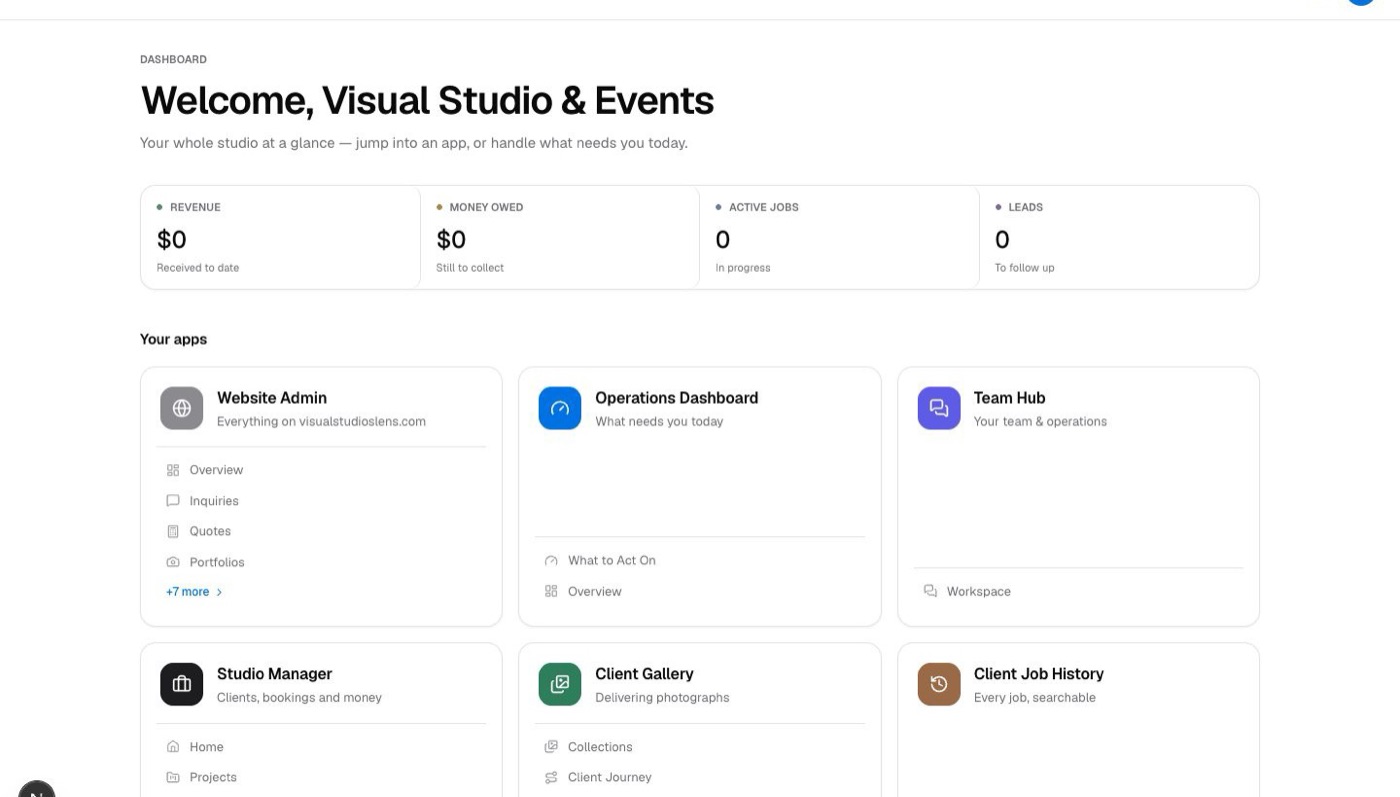
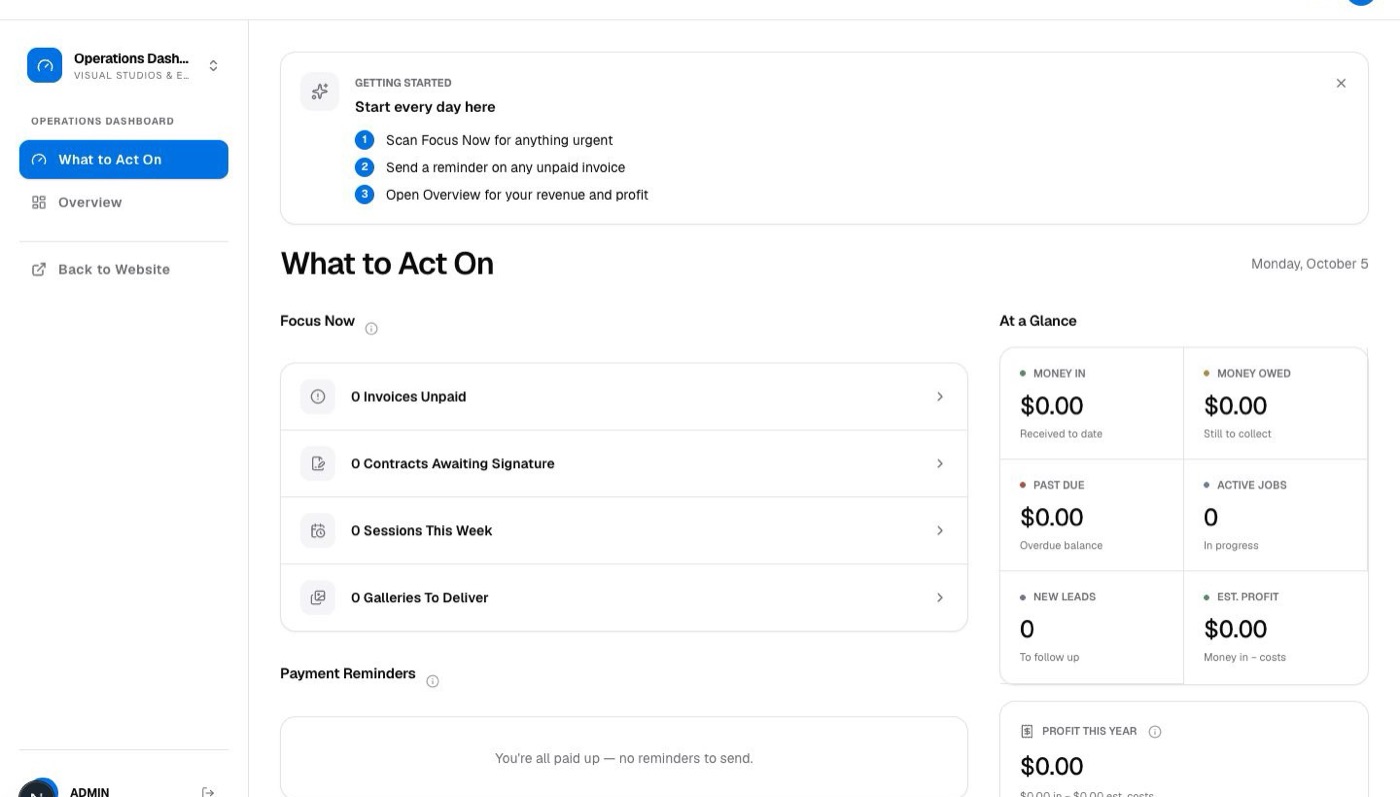
We built exactly this for a New York photo and events studio. Studio OS brings their website inquiries, quotes, bookings, client galleries and payments into one place, and opens every morning on a short list of what to act on: unpaid invoices, contracts waiting for a signature, sessions this week and galleries still to deliver.
When off-the-shelf software is enough
Plenty of businesses should not build anything. If a well-known booking app, point-of-sale system or invoicing tool already fits how you work, use it. It is faster to set up, someone else maintains it, and your staff may already know it. Off-the-shelf usually wins when:
- Your process is close to how most businesses in your field work.
- One tool covers most of the job and the gaps are small.
- You are still changing how you run things and are not sure what you need yet.
- The main problem is that nobody uses the tool you already have. That is a habit problem, not a software problem.
Do not build software to fix a process you have not written down yet. Write it down first, then decide.
How to decide, in four steps
- 01
Map one job from start to finish
Take a real recent job and write every step: how the customer found you, every message, every form, every payment. Note where details were typed twice or where something waited on one person.
- 02
Count the repeats and the misses
Mark every place information was copied by hand and every place something went wrong or nearly did. Those marks are what software should remove.
- 03
Try the obvious tools first
Look at the established apps for your industry and test them against your map. If one covers nearly everything, stop there.
- 04
Build only the part that is yours
If nothing fits, custom software does not have to replace everything. Often the best build connects the tools you keep and adds the one screen your business is missing.
What a good build looks like
Good business software feels obvious to the people using it. It uses your words, not a developer's. It opens on what needs doing today. It works on a phone for the person on site and on a laptop for the person in the office. And it is built in small pieces, so you can start using the most useful part early and add to it once you see how your team works with it.
Before anyone writes code, ask for plain answers to a few questions: who will own the data, what happens if you want to move it later, who fixes things when they break, and how new staff will learn it. If those answers are vague, slow down.
Where to start
Start with the job map. It costs nothing, and it usually shows you the answer on its own: either one app will do, or your business has a way of working that is worth building around. If it is the second, we are happy to look at your map with you and tell you honestly which parts are worth building and which are not. Cost depends entirely on what you need, so we scope it with you before quoting.